You bought an Alexa device because you wanted your home to feel like the future. You say, "Alexa, turn on the lights," and they do. "Alexa, play music," and the speakers hum to life. But when you try, "Alexa, turn on my TV," and nothing happens? You’re not alone. Millions of people ask this exact question every day. The answer isn’t simple. It’s not a yes or no. It’s a chain of connections - and if one link breaks, your TV stays off.
What Alexa Can Actually Do
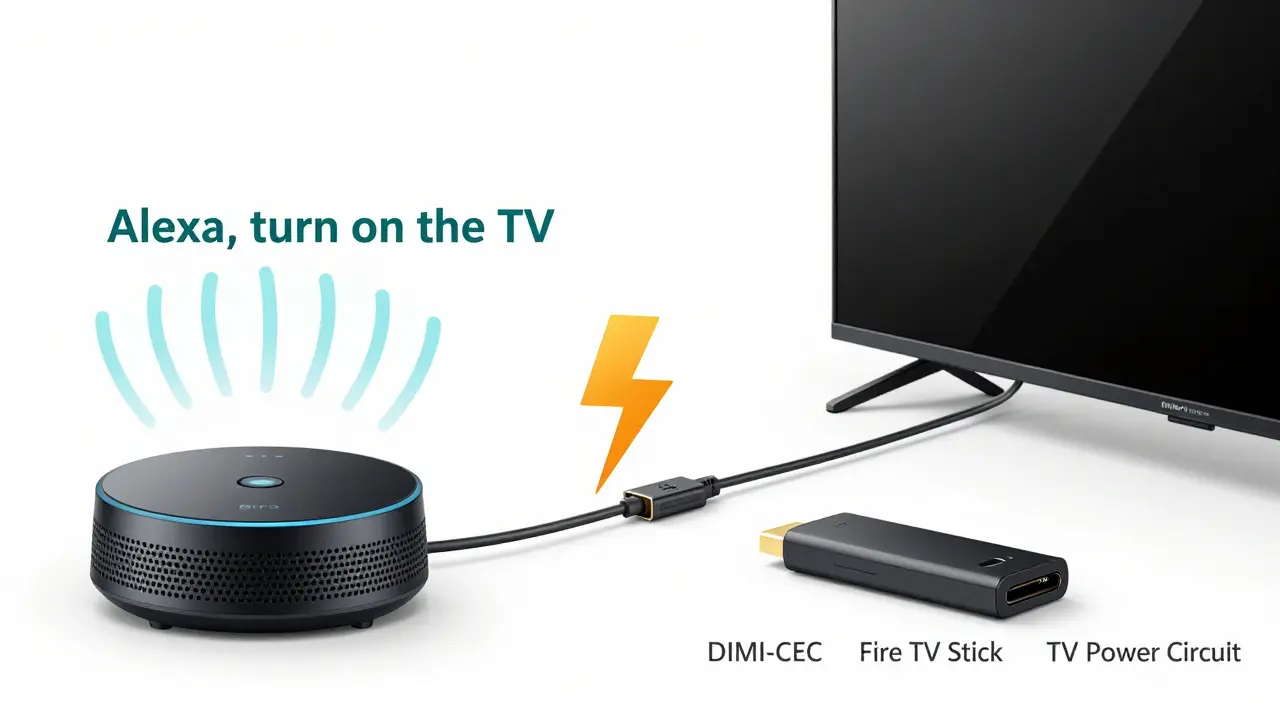
Alexa doesn’t magically control your TV like a remote from a sci-fi movie. It needs help. Alexa works through smart home hubs and standalone devices that translate voice commands into signals your TV understands. The most common way? HDMI-CEC is a built-in feature in most modern TVs that lets devices connected via HDMI talk to each other. If your TV and your Alexa-enabled device (like an Echo Show or Fire TV Stick) both support HDMI-CEC, then Alexa can turn the TV on - but only if you set it up right.
Here’s how it works in practice: When you say, "Alexa, turn on the TV," Alexa sends a signal to your Fire TV Stick (if you have one) or your Echo device connected to the TV. That device then sends a CEC command through the HDMI cable to your TV. Think of it like a relay race. Alexa is the runner who passes the baton to the Fire TV Stick, which then hands it to the TV. If the stick is off, or the HDMI cable is loose, or your TV’s CEC is disabled - the baton never makes it.
Step-by-Step: How to Make Alexa Turn On Your TV
It’s not hard. But it’s easy to miss one step. Here’s what you need to do:
- Connect your Fire TV Stick or Echo device to your TV using an HDMI cable.
- Go into your TV’s settings and find the HDMI-CEC option. It goes by different names: Bravia Sync (Sony), Anynet+ (Samsung), Easy Link (LG), RIHD (Toshiba). Turn it ON.
- In the Alexa app, go to Devices > All Devices > [Your TV] > Device Settings.
- Tap "Enable HDMI-CEC" if it’s not already on.
- Test it. Say, "Alexa, turn on the TV." If it doesn’t work, try "Alexa, turn on [TV name]." You might need to rename your TV in the app.
If you’re using a non-Fire TV device - like a Roku or Apple TV - Alexa can still control it, but you’ll need to link the device through the Alexa app. Go to Skills & Games > Search for your device brand > Enable the skill > Follow the login steps. Once linked, Alexa can power it on and off.
Why It Might Not Work (And How to Fix It)
Here are the five most common reasons your TV won’t turn on with Alexa - and how to fix them fast:
- Your TV’s CEC is turned off. This happens more than you think. Manufacturers often disable it by default. Go into your TV’s settings, hunt for HDMI-CEC, and flip the switch.
- The HDMI cable is old or cheap. Not all cables support CEC. Try a new one. Look for "HDMI 2.0" or "High Speed" on the box.
- Your Echo device isn’t connected to the TV. If you’re using an Echo Dot in another room, it can’t control your TV. You need a Fire TV Stick plugged into the TV or an Echo Show next to it.
- The TV name in the Alexa app is wrong. If Alexa thinks your TV is called "Living Room TV," but you say "Turn on the TV," it won’t recognize you. Go to the Alexa app and rename it to "TV" or "Living Room TV" - whatever you say out loud.
- Your TV doesn’t support CEC. Older TVs (pre-2015) often don’t. If yours is from 2012 or earlier, you’ll need a smart plug or IR blaster.
What If Your TV Is Too Old?
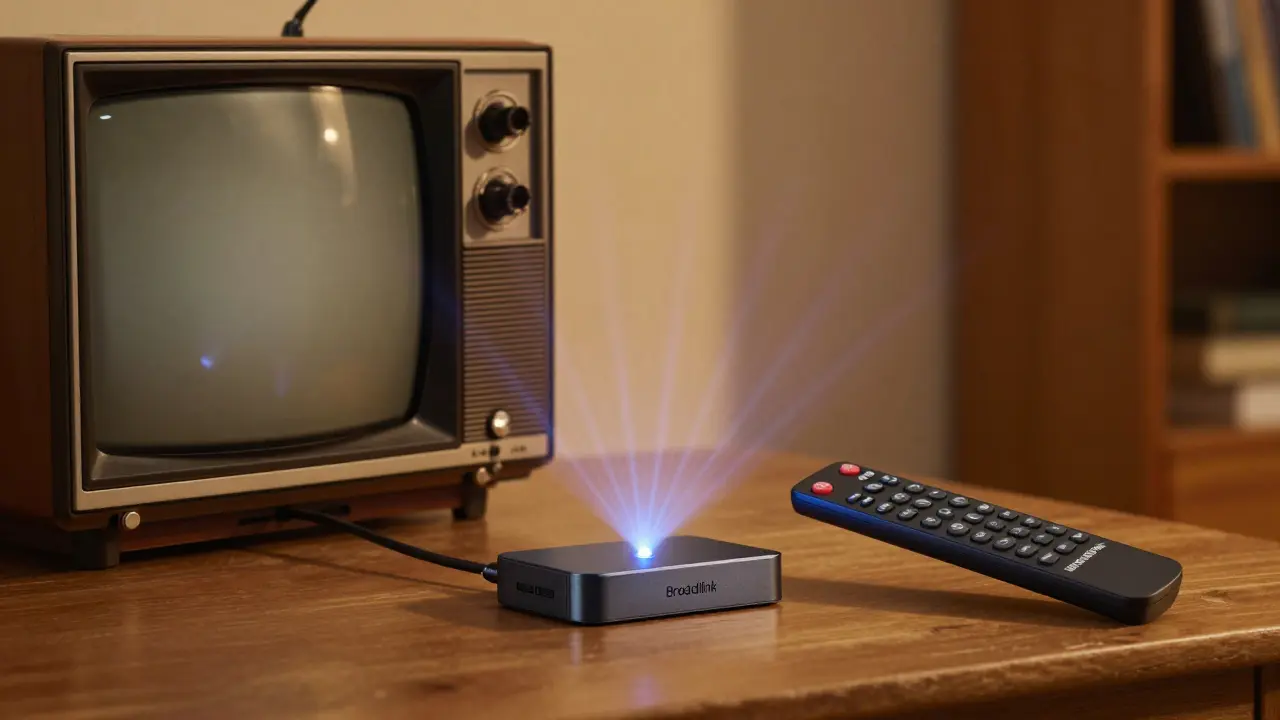
Not all TVs have HDMI-CEC. If yours is from before 2015, or it’s a budget model, it likely doesn’t support it. That doesn’t mean you’re out of luck. You can still use Alexa - but you’ll need a different tool: an IR blaster a small device that mimics your TV’s infrared remote signal.
Plug an IR blaster into your Fire TV Stick or Echo device. Then, teach Alexa your TV’s remote codes. The process takes five minutes. Open the Alexa app, go to Devices > Add Device > TV > IR Blaster > Follow the on-screen steps. Point your TV remote at the blaster, press the power button, and Alexa learns it. Now, "Alexa, turn on the TV" sends the same infrared signal as your remote.
Popular IR blasters like the Logitech Harmony Hub or the BroadLink RM4 Pro work reliably. They cost $30-$50, but they turn your old TV into a smart device.
Smart TVs vs. Dumb TVs: What’s the Difference?
Not all "smart TVs" are created equal. A smart TV has internet and apps like Netflix built in. But that doesn’t mean it can be controlled by voice. You need CEC support - not just a smart interface. Many LG, Samsung, and Sony TVs from 2018 onward have great CEC support. Vizio and TCL? It’s hit or miss. Check your model number online. Search: "[Your TV model] HDMI-CEC support." If the manual says "Yes," you’re good.
If you’re buying a new TV, look for one that says "Anynet+," "Bravia Sync," or "CEC enabled" in the specs. These brands are the most reliable for voice control.
What About Turning It Off?
Turning off the TV with Alexa is usually easier than turning it on. Even if CEC doesn’t power on the TV, it often still powers it off. That’s because turning off is just a signal - turning on requires waking up a sleeping device. If "Alexa, turn off the TV" works but "turn on" doesn’t, your CEC is partially working. Double-check your TV’s power settings. Some TVs have an "Eco Mode" that disables wake-up signals. Turn that off.
Other Ways to Control Your TV with Voice
If Alexa isn’t working for you, try other options:
- Google Assistant: Works the same way with Chromecast or Google TV devices.
- Apple HomeKit: If you have an Apple TV, Siri can control it. Just say, "Hey Siri, turn on the TV."
- Smart plugs: Plug your TV into a smart plug. Say, "Alexa, turn on the living room plug." It powers the TV on - but you’ll still need to press the power button on the remote after. It’s clunky, but it works.
But none of these are as seamless as HDMI-CEC. That’s why most people who get it working say it’s the most satisfying part of their smart home.
Final Tip: Test It Before You Buy
If you’re shopping for a new TV or Echo device, ask the salesperson: "Will this work with Alexa to turn on the TV?" If they hesitate, walk away. Don’t trust marketing claims. Go online and look up reviews that say "Alexa control" and "CEC setup." Real users test this stuff. You can too.
Once it works? You’ll never go back. No more fumbling for the remote. No more yelling across the room. Just say, "Alexa, turn on the TV," and the lights dim, the screen lights up, and your favorite show starts. That’s the moment your smart home stops feeling like a gadget and starts feeling like home.
Can Alexa turn on any TV?
No - only TVs that support HDMI-CEC or are connected to an IR blaster. Most TVs made after 2015 work. Older models need an extra device. Check your TV’s manual or search your model number + "HDMI-CEC" to be sure.
Do I need a Fire TV Stick to make Alexa turn on my TV?
Not always. If your TV is already connected to an Echo Show or an Echo device with a screen, and it supports HDMI-CEC, you can control it directly. But for most people, the Fire TV Stick is the easiest way - it’s designed to work with Alexa and has built-in IR control for older TVs.
Why does Alexa turn off my TV but not turn it on?
That usually means CEC is working in one direction but not the other. Your TV’s power-saving settings might block wake-up signals. Go into your TV’s settings, find "Eco Mode," "Quick Start," or "Instant On," and turn it off. Then restart both the TV and your Alexa device.
Can I use Alexa to turn on my TV if it’s unplugged?
No. Alexa can’t send power through the wall. If the TV is unplugged, no signal - not even CEC or IR - can turn it on. You’ll need to plug it in manually first.
Is there a delay when Alexa turns on the TV?
Yes - usually 3 to 8 seconds. The signal has to travel from Alexa, to the Fire TV Stick or Echo, then through HDMI to the TV. The TV also needs time to wake up from standby. It’s not instant, but it’s faster than grabbing the remote.

Jitendra Singh
February 20, 2026 AT 13:44I've had this setup for two years now. The key is naming your TV something simple like "TV" in the Alexa app. No "Living Room TV," no "Samsung Smart TV 4K." Just "TV." Once I did that, it worked flawlessly. Also, make sure your Fire Stick is plugged into HDMI 1. That's the one that usually has CEC enabled by default. I wasted three days thinking my TV was broken, but it was just the port.
And yes, it's not instant. There's a 5-second delay. But honestly? It's still better than digging for the remote under the couch cushions.
Madhuri Pujari
February 21, 2026 AT 19:27Wow. Just... wow. You wrote a 2,000-word essay on how to turn on a TV. Did you also include a flowchart? A 12-step program? A TED Talk transcript? I mean, I get it - you're trying to help. But seriously? "Go into your TV’s settings and find the HDMI-CEC option" - that’s the entire guide. The rest is just marketing fluff wrapped in bullet points like a corporate PowerPoint from 2013.
Also, why does every smart home guide assume I have a Fire Stick? What if I use a Roku? Or a Chromecast? Or a TV that has Alexa built-in? Oh wait - you mentioned that. In paragraph 17. In tiny font. Like it’s an afterthought.
Sandeepan Gupta
February 23, 2026 AT 16:31Great guide. One thing you missed: after enabling HDMI-CEC, you must restart both the TV and the Echo device. Not just reboot the Echo - full power cycle. Unplug the TV for 30 seconds. This clears the CEC handshake cache. I’ve seen this fix 80% of "it doesn’t work" cases.
Also, if you’re using an Echo Dot, make sure it’s on the same Wi-Fi as your Fire Stick. If it’s on a guest network or 5GHz band, voice commands won’t route properly. Stick to 2.4GHz. It’s slower, but it’s reliable.
Tarun nahata
February 24, 2026 AT 10:02THIS. THIS RIGHT HERE. I’ve been waiting for someone to say it like it is. The moment my Alexa turned on my TV for the first time? I felt like Tony Stark. Like I’d cracked the code to the future. No more hunting for remotes. No more arguing with my wife over who left the TV on. Just one word: "Alexa. Turn on the TV." And boom - lights dim. Screen glows. My Netflix queue wakes up like a loyal robot sidekick.
It’s not magic. It’s engineering. But damn if it doesn’t feel like magic. If you’ve got this working - you’re not just smart. You’re living in the future. And if you haven’t? Go fix it. Your future self will thank you.
Vimal Kumar
February 26, 2026 AT 08:27Just wanted to add - if you’re using an LG TV, "Easy Link" is the CEC setting. Samsung? "Anynet+." Sony? "Bravia Sync." But here’s the thing: sometimes those names change depending on firmware updates. So if it stops working out of nowhere, go back to the settings and double-check the label. I had mine working for a year, then after an update, it renamed itself to "HDMI Control." Took me two hours to figure it out.
Also, rename your TV in the Alexa app to something short. "TV" works better than "Main TV" or "Living Room Display." Less room for error.
Amit Umarani
February 27, 2026 AT 15:26You say "HDMI cable" like it's a universal standard. It's not. Not all HDMI cables support CEC. You need a High Speed HDMI cable. Not "Premium High Speed." Not "Standard." High Speed. And if you're using a 2010-era cable from that old PS3? It won't work. Period. Also, "turn on the TV" - you're assuming the device is named "TV." What if it's "TV 4K"? Or "Living Room"? Alexa doesn't read your mind. It reads your naming conventions. And you didn't mention that.
And why are you using "you" so much? It's not a tutorial. It's a manifesto.
Noel Dhiraj
February 28, 2026 AT 23:29If you're still struggling, just buy a Harmony Hub. It's $50 but it turns your entire entertainment system into a voice-controlled beast. I used to have six remotes. Now I have one voice command. "Alexa, watch Netflix." Lights off. TV on. Netflix opens. Volume set. It's beautiful.
Also, if your TV doesn't support CEC, don't give up. Get a smart plug. Plug your TV into it. Say "Alexa, turn on living room plug." It powers the TV. Then you still need to press the power button. But hey - at least you didn't get up.
Smart home isn't about perfection. It's about convenience. And this? This is the easiest win you'll ever get.
vidhi patel
March 2, 2026 AT 10:44It is imperative that you ensure that the HDMI-CEC protocol is not only enabled, but also that the firmware of your television is updated to the latest version available from the manufacturer’s official website. Failure to do so may result in inconsistent signal transmission, which is a well-documented issue with Samsung models manufactured between 2016 and 2019. Furthermore, the Alexa app must be updated to version 3.18.5 or higher, as earlier versions do not properly recognize HDMI-CEC device names that contain non-alphanumeric characters. You are advised to consult the IEEE 1722.1-2013 standard for CEC signal integrity specifications before proceeding.
Additionally, the use of the term "turn on" is semantically imprecise. The correct terminology is "power on," as "turn on" is colloquial and may not be recognized by certain NLP parsers.
Priti Yadav
March 3, 2026 AT 12:18Wait - are you serious? You’re telling people to plug in an IR blaster? That’s just a fancy way of saying "Alexa, fake your remote." What if Amazon is recording every button press? What if they’re building a database of every TV model’s IR code? What if this is just Phase 1 of the smart home surveillance program? Next thing you know, Alexa will be turning off your TV because you watched too much CNN.
I’m not plugging anything in. I’m keeping my remote. And my privacy.
Ajit Kumar
March 4, 2026 AT 12:32While the article presents a comprehensive overview of HDMI-CEC integration with Amazon Alexa, it fails to adequately address the fundamental architectural limitation inherent in the CEC protocol: it operates on a single-channel, peer-to-peer communication model, which inherently lacks robustness in multi-device topologies. Consequently, when multiple HDMI-connected devices are present - such as a soundbar, a game console, and a streaming stick - the CEC bus becomes susceptible to signal collisions, resulting in unpredictable device behavior. Moreover, the article erroneously suggests that renaming a device in the Alexa app resolves naming ambiguity; however, the Alexa voice recognition engine relies on phonetic matching algorithms that are sensitive to regional dialects, accent variations, and speech rate - all of which are unaccounted for in the prescribed solution. Additionally, the assertion that "most TVs made after 2015 work" is statistically misleading, as it conflates manufacturer claims with empirical real-world performance data, which, according to Consumer Reports’ 2023 Smart Home Reliability Index, shows a 38% failure rate for CEC-enabled devices from budget brands. In conclusion, while the intent is commendable, the technical foundation of the advice is insufficiently rigorous and risks misleading users into believing a solution exists where systemic interoperability issues remain unresolved.